
Email Marketing That Converts: Building Automated Lifecycle Flows
How to move beyond generic monthly newsletters to high-converting automated sequences for welcome, re-engagement, and post-service follow-up.
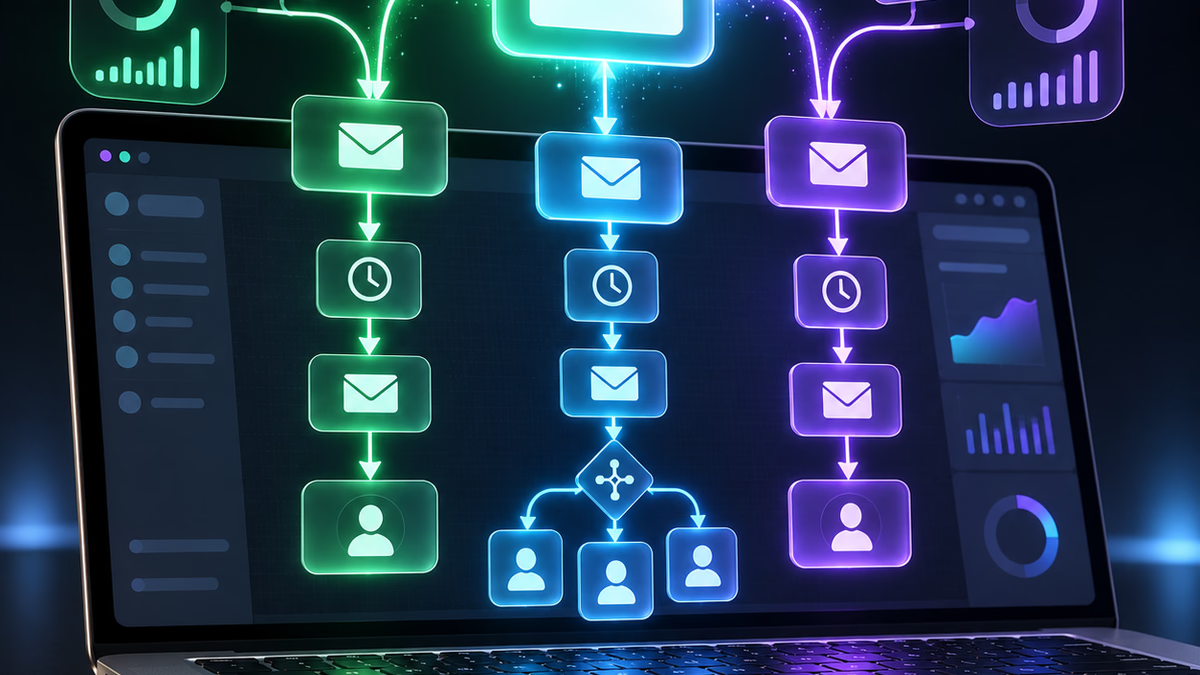
Many businesses treat email marketing like a chore: once a month, someone frantically cobbles together a newsletter, blasts it to an unsegmented list of subscribers, and hopes for a couple of clicks.
Meanwhile, high-performing service businesses generate steady repeat revenue without writing weekly emails from scratch.
Their secret is lifecycle email automation: targeted messages triggered automatically based on where a prospect or customer is in their actual journey.
1. The High-Value Welcome Flow
When someone fills out a contact form, requests a quote, or signs up for a guide, their interest is at its absolute peak. Sending a generic confirmation email that says “Thanks, we received your message” wastes this crucial window.
A high-converting 3-part welcome sequence:
- Email 1 (Immediate): Deliver the requested information or acknowledge the inquiry immediately. Introduce who will reach out and provide 2-3 links to your most relevant case studies or reviews.
- Email 2 (Day 2): Share a short story highlighting a common mistake clients make before hiring you, establishing your expertise and empathy.
- Email 3 (Day 5): Direct invitation to book a call or review direct pricing options, removing friction for decision-makers ready to move forward.
2. Post-Service Review and Referral Triggers
The easiest customer to close is someone who just had a great experience with your team. Yet most businesses finish a project, send an invoice, and never follow up again until they need more work.
Automate the post-delivery handoff:
- Completion Check (Day 1 post-delivery): Confirm that everything is functioning smoothly and ask if they have any immediate questions.
- Review Request (Day 3 post-delivery): Send a direct link to your Google Business Profile or industry review page with a genuine request for feedback.
- Referral Incentive (Day 14 post-delivery): Offer a credit or thank-you gift for introducing neighbors, colleagues, or partner businesses.
3. The 90-Day Win-Back and Maintenance Automation
For companies offering ongoing or recurring services (HVAC inspections, IT maintenance, marketing retainers, seasonal tune-ups), lapsed clients are an untapped revenue stream.
Set up an automated cadence:
- If a client has had no active appointments or orders for 90 days, trigger a gentle check-in email.
- Highlight upcoming seasonal requirements (e.g., preparing computers for tax season, spring HVAC tune-ups, Q4 website audits).
- Include an easy one-click scheduling link to reduce booking friction.
4. Technical Deliverability: Authenticate Your Domain
The most compelling email copy in the world is useless if it lands in the spam folder. Modern email providers (Google, Microsoft, Yahoo) strictly enforce email domain authentication:
- SPF (Sender Policy Framework): Verifies which mail servers are allowed to send email on behalf of your domain.
- DKIM (DomainKeys Identified Mail): Uses cryptographic signatures to verify that emails were not tampered with in transit.
- DMARC (Domain-based Message Authentication, Reporting, and Conformance): Tells receiving mail servers how to handle messages that fail SPF or DKIM checks.
Without proper SPF, DKIM, and DMARC records configured in your DNS, marketing emails from platforms like Mailchimp, Klaviyo, or ActiveCampaign will increasingly be blocked.
Set It and Let It Compound
Automated email flows work in the background 24/7/365. Once built and tested, they nurture leads, collect reviews, and drive repeat business without taking another minute of your team’s day.
Topics covered
Keep the plan connected
Want to automate the workflow without creating brittle handoffs?
Our development team maps integrations, internal tools, and AI-assisted workflows around the systems your team already uses.
Automation work usually touches systems, operations, and support, so related posts can help shape a cleaner implementation brief.
Keep exploring
Continue through the insights archive
These related articles connect adjacent issues across AI, automation, operations, and growth.

Local SEO Foundations: Turning Searchers into Customers
A no-fluff guide for local service businesses to fix search profiles, improve citations, and capture high-intent nearby customers.

Practical System Integrations: Connecting Your Software Stack Without Chaos
How to connect your CRM, accounting, and operational tools so information flows seamlessly without creating fragile data bottlenecks.

AI Customer Support Automation That Still Feels Human
How growing teams can use AI for support triage, self-service, and follow-up without losing trust, empathy, or review control.