Key Features
Use support when this is the bottleneck slowing the work down.
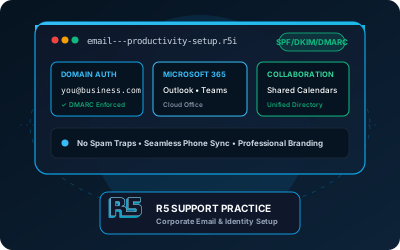
Professional email addresses using your business domain (you@yourbusiness.com) instead of generic Gmail or Yahoo addresses.
Complete Microsoft 365 setup including Outlook, Word, Excel, PowerPoint, Teams, and OneDrive for your entire team.
Gmail, Google Drive, Docs, Sheets, and Meet configured for business use with your custom domain.
Team calendars, room booking, and appointment scheduling that everyone can access and update.
Email, calendar, and contacts synced to all devices—phones, tablets, and laptops.
Advanced spam filtering, phishing protection, and email encryption to protect your business communications.
First impressions matter. When you email a potential customer from john@gmail.com instead of john@yourbusiness.com, you’re sending a message about your professionalism before they even read your email. R5 Industries Support helps Phoenix businesses set up professional email and productivity tools that enhance credibility and simplify day-to-day operations.
Why Business Email Matters
Professional Image
- Credibility: Custom domain email looks more professional and trustworthy
- Brand Recognition: Every email reinforces your business name
- Consistency: All employees use the same domain
- Portability: You own your domain and can switch providers anytime
Features Not Available with Free Email
Business email platforms provide features essential for operations:
- Larger Storage: Typically 50GB-unlimited per user
- Admin Controls: Manage all company email from one dashboard
- Compliance Features: Legal hold, archiving, and eDiscovery
- Security: Advanced threat protection and encryption
- Mobile Management: Remotely wipe lost devices
- Shared Resources: Team calendars, distribution lists, shared mailboxes
Microsoft 365 Setup
Microsoft 365 (formerly Office 365) is the industry standard for business productivity:
What’s Included
- Outlook: Professional email client for desktop, web, and mobile
- Word, Excel, PowerPoint: Desktop and web versions of Office apps
- OneDrive: 1TB cloud storage per user
- SharePoint: Team document sharing and collaboration
- Teams: Video meetings, chat, and collaboration
- Exchange Online: Business-grade email hosting
Our Setup Process
- Domain Configuration: Connect your business domain to Microsoft 365
- User Creation: Set up accounts for all employees
- Email Migration: Transfer existing email from your old provider
- Desktop Apps: Install Office applications on company computers
- Mobile Setup: Configure phones and tablets
- Training: Show your team how to use the new tools
Microsoft 365 Plans
- Business Basic ($6/user/month): Web/mobile apps, email, 1TB storage
- Business Standard ($12.50/user/month): + Desktop apps
- Business Premium ($22/user/month): + Advanced security features
Google Workspace Setup
Google Workspace (formerly G Suite) is a powerful alternative with tight integration:
What’s Included
- Gmail: Fast, reliable email with powerful search
- Google Drive: 30GB-5TB cloud storage (plan dependent)
- Docs, Sheets, Slides: Collaborative document editing
- Google Meet: Video conferencing
- Google Chat: Team messaging
- Google Calendar: Shared scheduling
Why Choose Google Workspace
- Collaboration: Real-time editing with multiple users
- Simplicity: Familiar interface similar to personal Google accounts
- Integration: Works well with many third-party apps
- Reliability: Google’s infrastructure is extremely reliable
- Search: Gmail’s search is powerful and fast
Google Workspace Plans
Google changes list prices, promotions, and billing terms. As of July 2026, annual commitments list Business Starter at $7, Business Standard at $14, and Business Plus at $22 per user per month in the United States; flexible monthly billing costs more. Confirm current regional pricing on the official Google Workspace pricing page before budgeting or quoting.
- Business Starter: 30GB pooled storage per user and custom email
- Business Standard: 2TB pooled storage per user and expanded collaboration features
- Business Plus: 5TB pooled storage per user and advanced security and management features
Email Migration
Already have email elsewhere? We’ll migrate everything:
What We Transfer
- All email messages (including sent and folders)
- Contacts and address books
- Calendars and appointments
- Email rules and signatures (when supported)
Migration Sources
- GoDaddy, Rackspace, Network Solutions
- Gmail, Yahoo, Outlook.com
- On-premise Exchange Server
- POP/IMAP mailboxes
- Other email providers
Migration Process
- Inventory: Document all existing mailboxes
- Preparation: Set up new accounts in Microsoft 365 or Google Workspace
- Sync: Begin background synchronization
- Cutover: Switch DNS records to new provider
- Verification: Confirm all email is accessible
- Cleanup: Decommission old accounts
Additional Features
Shared Mailboxes
Create shared addresses for departments:
info@yourbusiness.comsupport@yourbusiness.comsales@yourbusiness.com
Multiple people can send and receive from shared mailboxes without needing separate licenses.
Distribution Groups
Send to multiple recipients with a single address:
allstaff@yourbusiness.commanagers@yourbusiness.comtechnicians@yourbusiness.com
Email Signatures
Consistent, professional signatures for all employees:
- Company logo and branding
- Contact information
- Legal disclaimers (when required)
- Social media links
Spam and Security
Business email includes protection not available on free services:
- Advanced spam filtering
- Phishing detection
- Malware scanning
- Encryption in transit and at rest
- Two-factor authentication
Hypothetical Example — Real Estate Agency
Consider a 12-agent real estate agency using a mix of personal inboxes and an older website email provider. Inconsistent delivery, disconnected calendars, and mismatched addresses could make coordination harder.
A possible solution could include:
- Migrate all 12 agents to Microsoft 365 Business Standard
- Set up custom domain email (
agent@agencyname.com)
- Create shared calendars for showing schedules
- Configure OneDrive for document storage
- Set up Teams for internal communication
Expected outcomes after migration and verification:
- More consistent branding through custom-domain email
- Shared visibility into showing availability
- Mobile access to documents while agents are with clients
- A documented migration and verification process that identifies any delivery exceptions
- Subscription cost confirmed from the provider’s current pricing before purchase
Ready to upgrade your business email? Book a planning session and we will scope the
right migration path.