Key Features
Use support when this is the bottleneck slowing the work down.
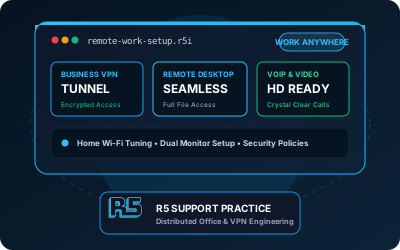
Secure VPN access to your office network from any location. Encrypted connections that protect sensitive business data.
Access your office computer from home as if you were sitting at your desk. Full functionality with secure authentication.
Professional setup of Zoom, Teams, or Google Meet including cameras, microphones, and lighting recommendations.
Cloud-based file sharing with proper permissions and encryption. Access your documents anywhere, anytime.
Secure your home network for business use with proper router configuration, guest networks, and firewall settings.
Configure multiple monitors, docking stations, and peripherals for a productive home office environment.
Empowering your team to work remotely shouldn’t compromise security or disrupt daily communication. At R5 Industries Support, we configure secure remote work infrastructure, high-performance home office networks, and reliable VPN access for businesses across Phoenix Metro.
Why Professional Remote Work Setup Matters
Handing an employee a laptop without proper configuration creates security blind spots and lost productivity. A reliable remote setup requires:
- Data Protection: Encrypted VPN tunnels, device management, and multi-factor authentication to keep company files safe on any network.
- Rock-Solid Connectivity: Optimized home Wi-Fi and direct access configurations so team members work without dropped video calls or VPN dropouts.
- Consistent Productivity: Seamless access to shared company drives, centralized team messaging, and fast remote IT help when issues arise.
Our Remote Work Solutions
Secure Access Options
VPN (Virtual Private Network)
We configure secure VPN solutions that encrypt all traffic between remote workers and your office network:
- Site-to-site VPN for branch offices
- Remote access VPN for individual employees
- Split tunneling options for bandwidth optimization
- Multi-factor authentication for enhanced security
- Compatible with Windows, Mac, iOS, and Android
Remote Desktop Services
For employees who need full access to their office computers:
- Windows Remote Desktop setup with proper security
- Third-party solutions like TeamViewer or AnyDesk for cross-platform support
- Azure Virtual Desktop for cloud-based desktops
- Secure gateway configuration to prevent unauthorized access
Cloud-Based Solutions
Modern cloud alternatives that reduce VPN complexity:
- Microsoft 365 with SharePoint and OneDrive
- Google Workspace for collaborative document editing
- Cloud-based applications that work from any browser
- Zero-trust architecture for enhanced security
Home Office Equipment Setup
We help employees set up productive home workspaces:
Hardware Configuration
- Laptop and docking station setup
- Multi-monitor configuration
- Printer and scanner connectivity
- Webcam and microphone optimization
- Ergonomic recommendations
Network Optimization
- Router settings for remote work priority
- Wi-Fi signal strength testing
- Separation of work and personal traffic
- ISP speed recommendations
- Backup internet options (mobile hotspot)
Video Conferencing
- Camera positioning and lighting
- Microphone and speaker testing
- Background blur and virtual background setup
- Integration with scheduling tools
Business Solutions
For Small Teams (2-10 employees)
- Simple VPN or cloud-only approach
- Shared file access via OneDrive or Google Drive
- Basic video conferencing setup
- Remote support capabilities
For Growing Businesses (10-50 employees)
- Dedicated VPN server or cloud gateway
- Microsoft 365 or Google Workspace deployment
- Centralized device management
- Written security policies for device and access management
For Hybrid Offices
- Hot-desking solutions
- Room booking systems
- Consistent experience between office and home
- Device synchronization
Hypothetical Example — Insurance Agency
Consider a regional insurance agency adopting hybrid work after office renovations reduce available desks. Agents would need controlled access to a quote system and customer files from home.
A possible solution could include:
- Microsoft Entra ID (formerly Azure AD) with conditional access policies
- Microsoft 365 with SharePoint for document management
- Secure VPN for legacy quote system access
- Company-managed laptops with encryption
- Multi-factor authentication for all users
Expected outcomes after rollout and validation:
- Staff can switch between office and home with fewer workflow interruptions
- Centralized access controls and device policies are easier to administer
- Hybrid operations reduce pressure on office space and equipment
- A consistent, documented workflow gives staff a clear support path
Security Best Practices
Remote work introduces security risks that must be addressed:
- Multi-Factor Authentication: Required for all remote access
- Device Encryption: Full disk encryption on all laptops
- Endpoint Protection: Managed antivirus and security software
- Network Segmentation: Separate work devices from personal ones
- Regular Updates: Automatic patching for all remote devices
- Security Training: Staff education on phishing and safe practices
Training & Support
Every remote work setup includes:
- Live training session for all remote employees
- Quick reference guides for common tasks
- IT support contact procedures
- Troubleshooting documentation
- 30-day post-setup support
Need a clearer remote-work setup? Book a planning session and we will scope the right
solution for your team.